hotcoco
Perception evaluation for Python, written in Rust.
hotcoco evaluates perception models: detection — boxes, masks, keypoints, and oriented boxes on the COCO, LVIS, and Open Images protocols — panoptic segmentation, and semantic segmentation. It's a drop-in replacement for pycocotools — the same numbers bit for bit, up to 113× faster — and it includes the analysis you'd otherwise need separate tools for: TIDE error analysis, confusion matrices, calibration, model comparison, and a dataset browser.
Quick start
pip install hotcoco
from hotcoco import COCO, COCOeval

coco_gt = COCO("instances_val2017.json")
coco_dt = coco_gt.load_res("detections.json")

ev = COCOeval(coco_gt, coco_dt, "bbox")
ev.run()
from hotcoco import init_as_pycocotools
init_as_pycocotools()

# All pycocotools imports now resolve to hotcoco
from pycocotools.coco import COCO
from pycocotools.cocoeval import COCOeval
coco eval --gt instances_val2017.json --dt detections.json --iou-type bbox
use hotcoco::{COCO, COCOeval};
use hotcoco::params::IouType;
use std::path::Path;

let coco_gt = COCO::new(Path::new("instances_val2017.json"))?;
let coco_dt = coco_gt.load_res(Path::new("detections.json"))?;

let mut ev = COCOeval::new(coco_gt, coco_dt, IouType::Bbox);
ev.evaluate()?;
ev.accumulate();
ev.summarize();
Evaluate
COCO, LVIS, and Open Images protocols over boxes, masks, keypoints, and oriented boxes; panoptic quality against panopticapi; semantic mIoU against mmsegmentation. init_as_pycocotools() patches existing pycocotools imports in place — no code changes.
Diagnose
TIDE error analysis, confusion matrices, confidence calibration, and per-image label-error detection — see what's actually costing you AP.
Explore your data
Browse any COCO dataset in a local web UI with annotation overlays, run a dataset healthcheck, and convert between COCO, YOLO, Pascal VOC, CVAT, DOTA, and Open Images CSV.
Compose
IoU kernels, matchers, and metric functions are public and work on plain numpy arrays — build your own metric from the matchers the evaluators run. Every evaluation returns the same report shape, and each number is marked as standard or a hotcoco extension.
Performance
Bbox evaluation on COCO val2017 takes 0.05s; pycocotools takes 5.11s. Peak memory is a third of pycocotools' or less at every scale measured. The precision, recall, and scores arrays and every summary metric are bit-identical to pycocotools'.
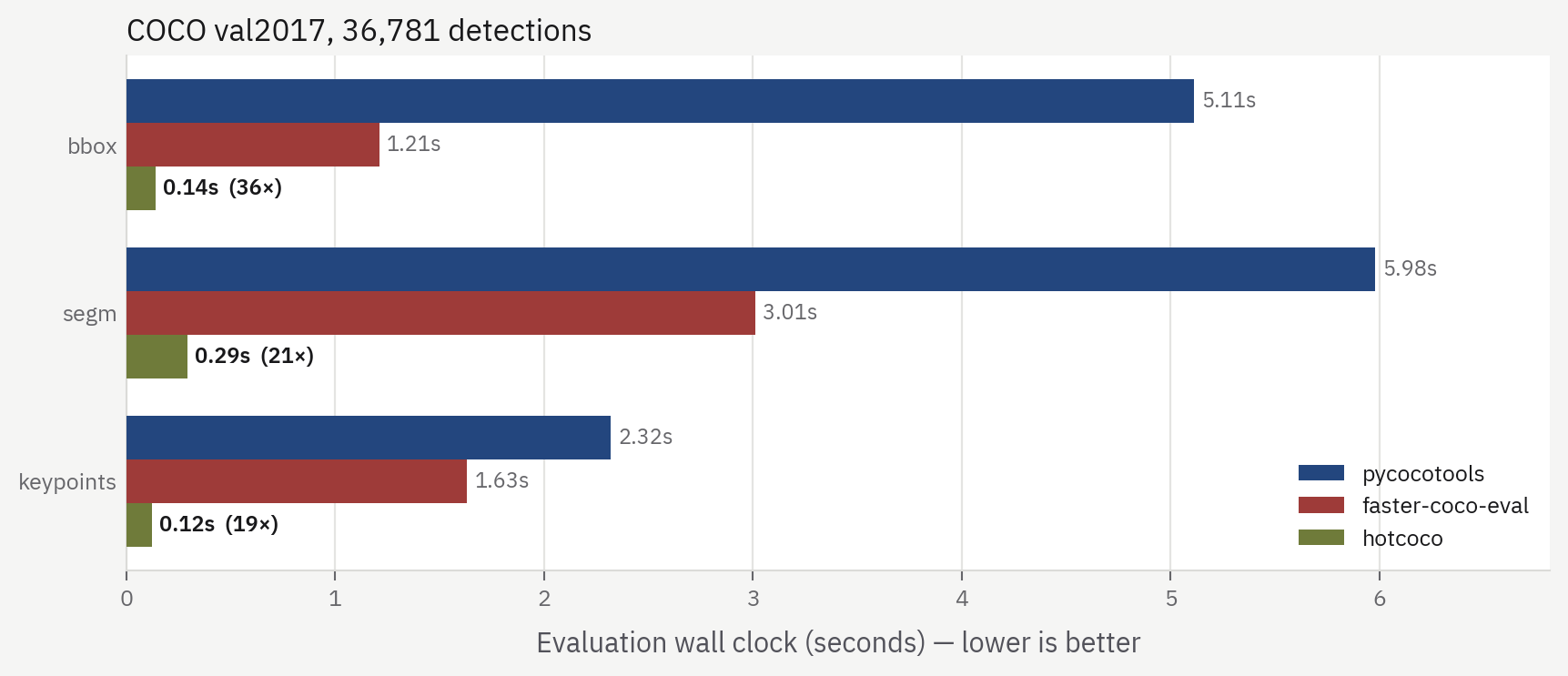
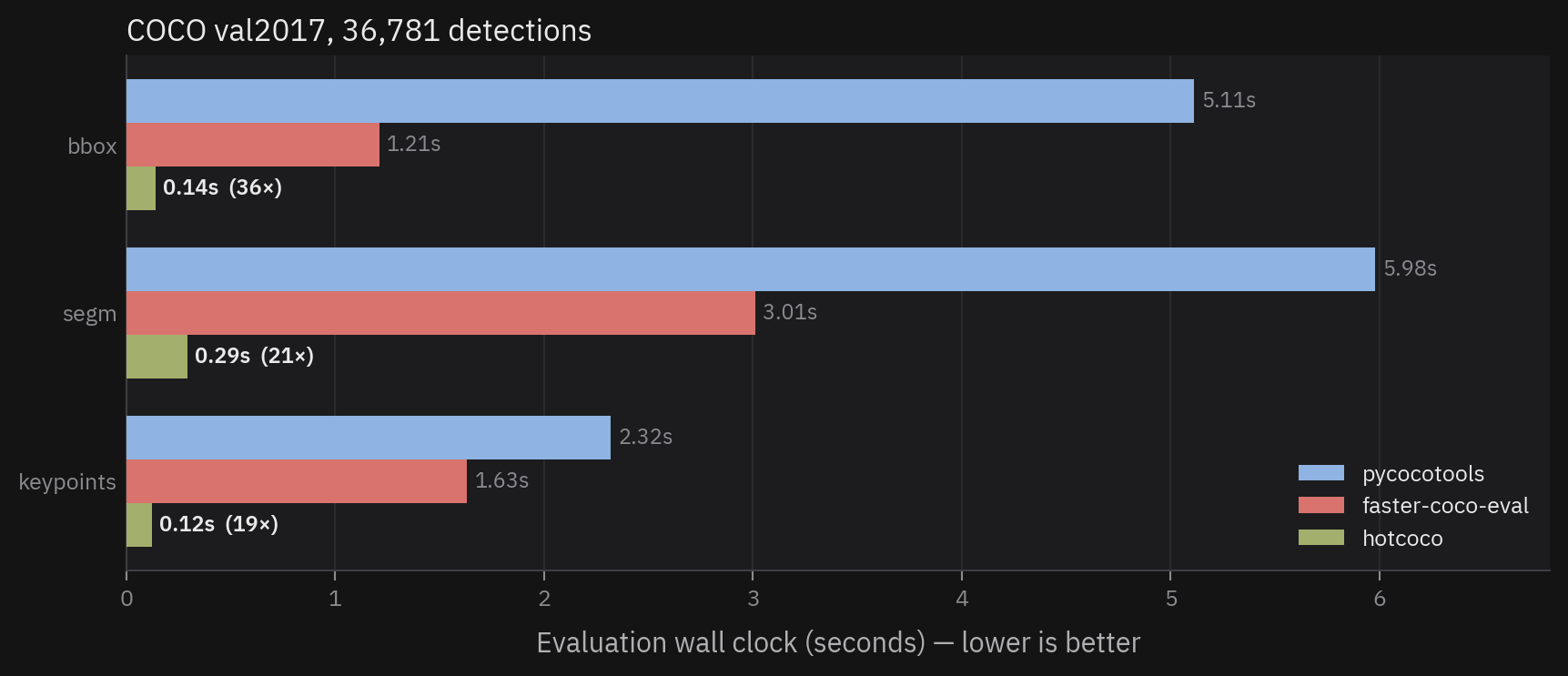
Full tables, hardware, memory, and parity verification are in Benchmarks.
Error analysis
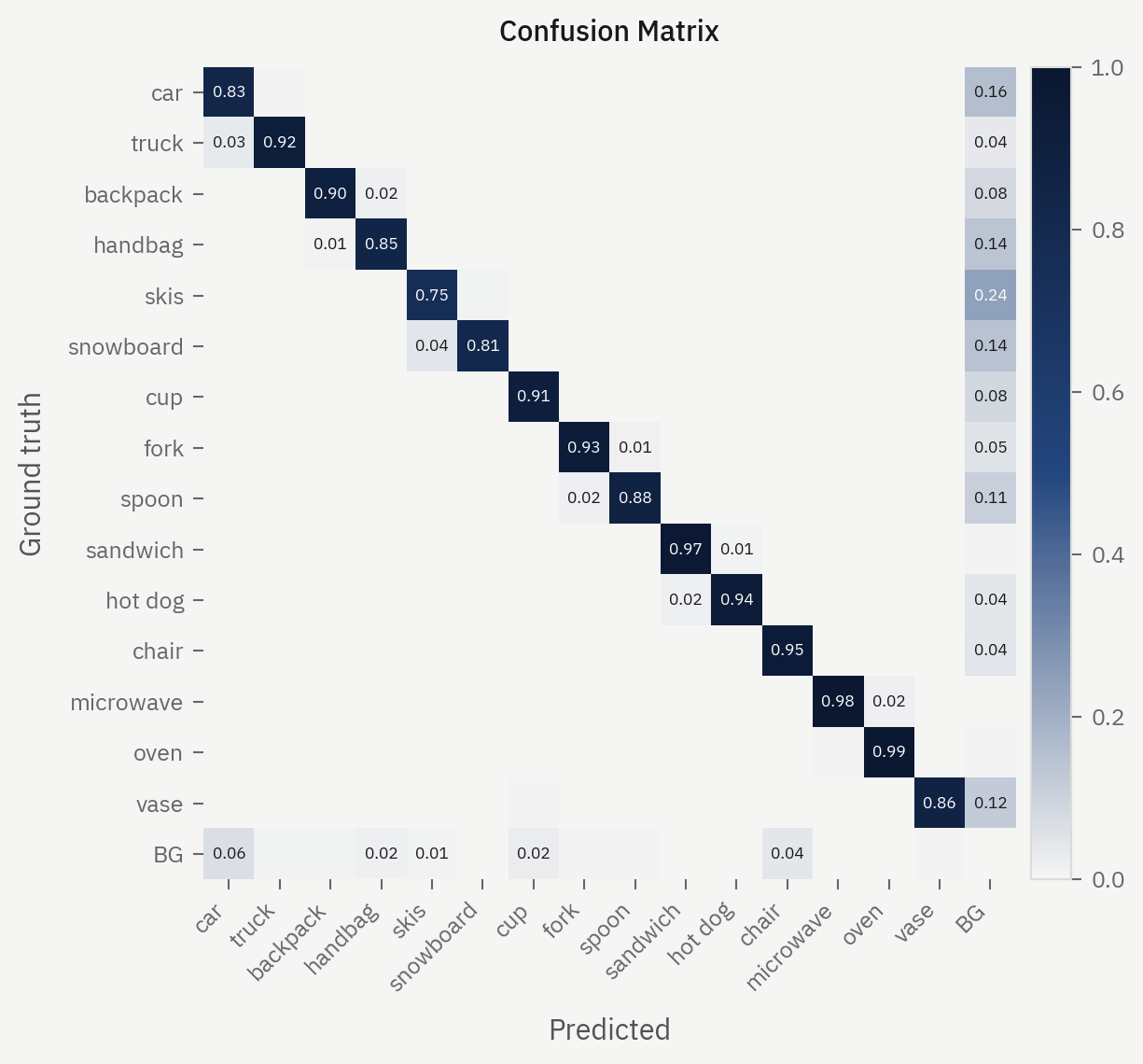
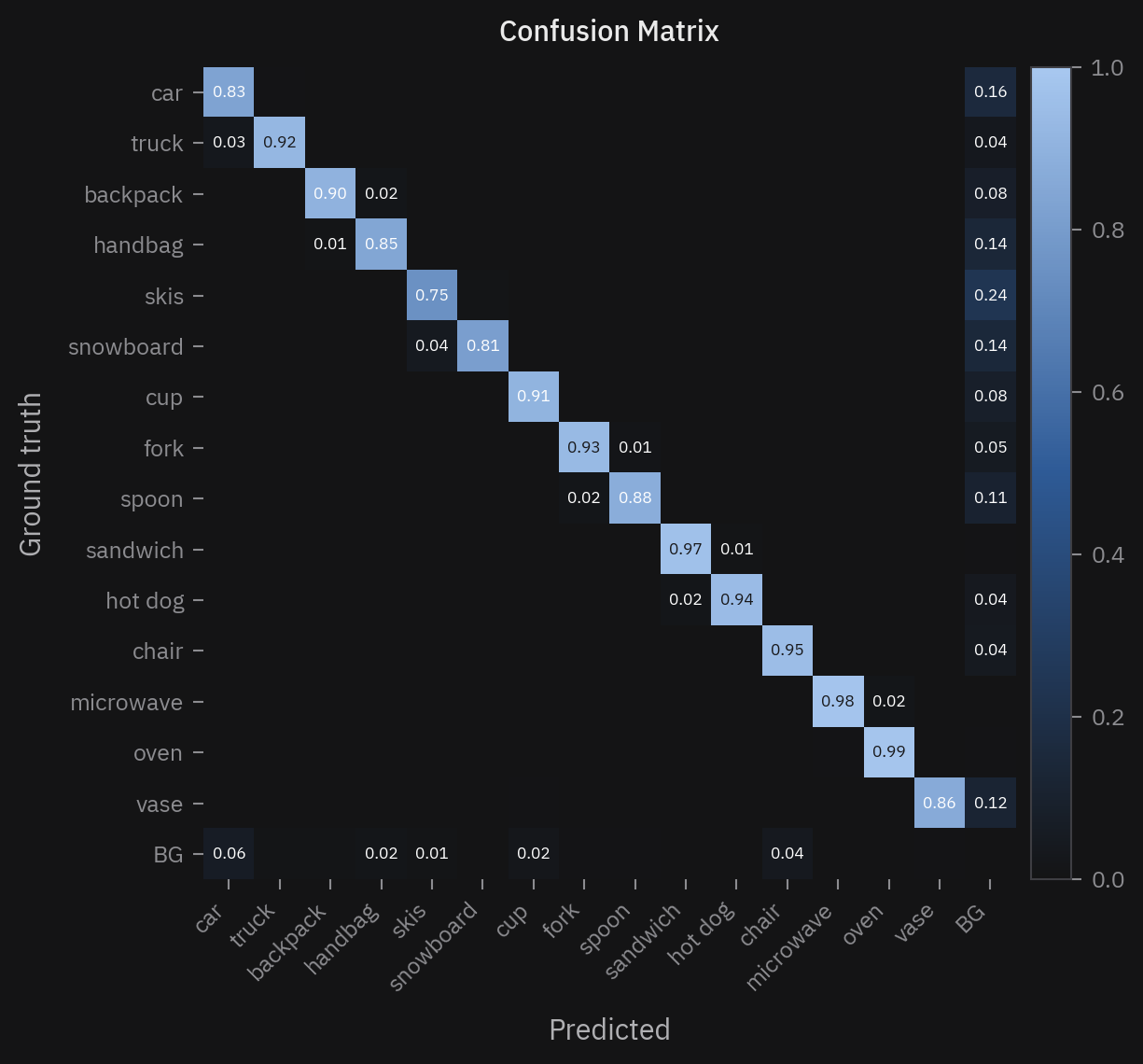
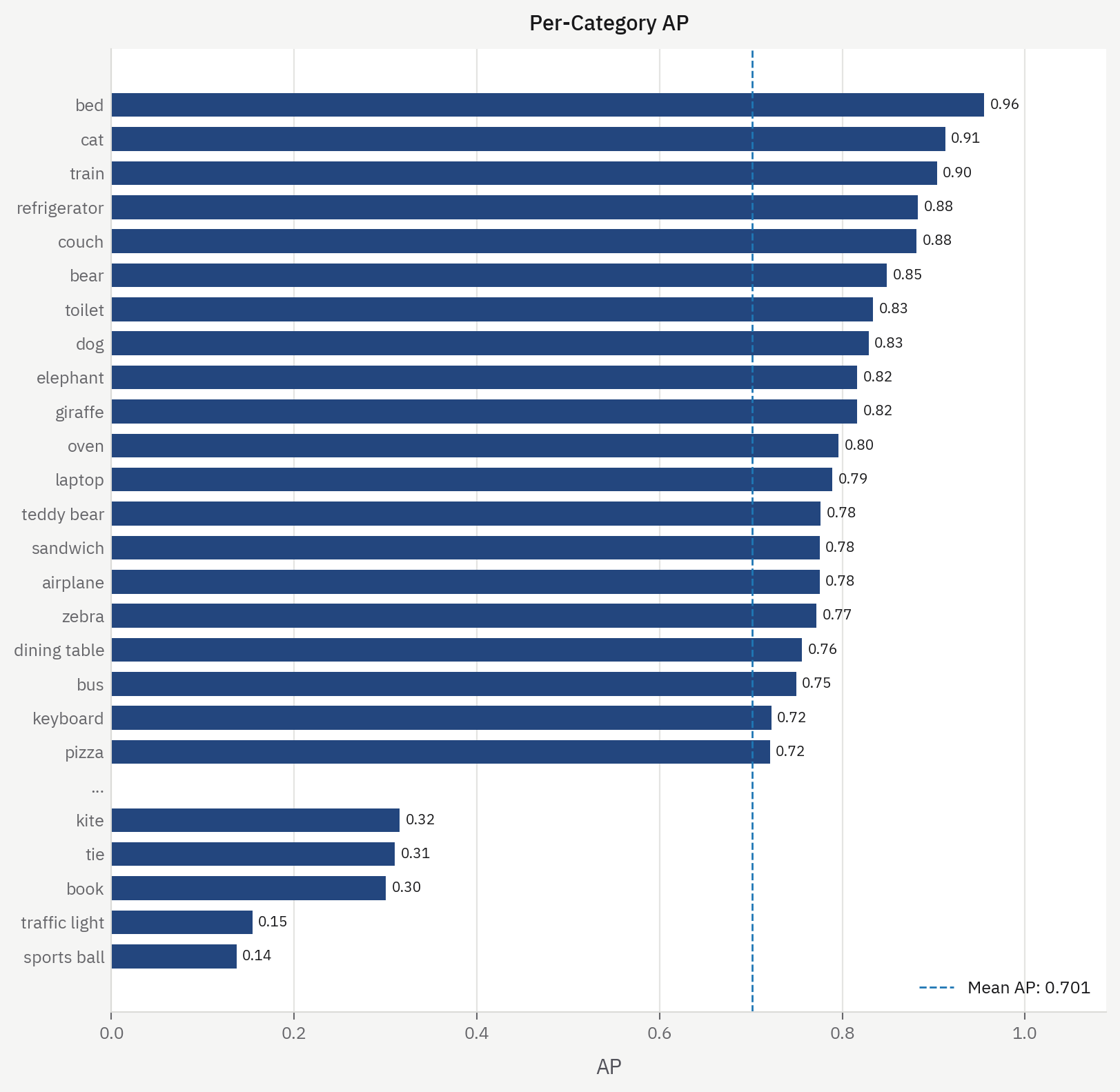
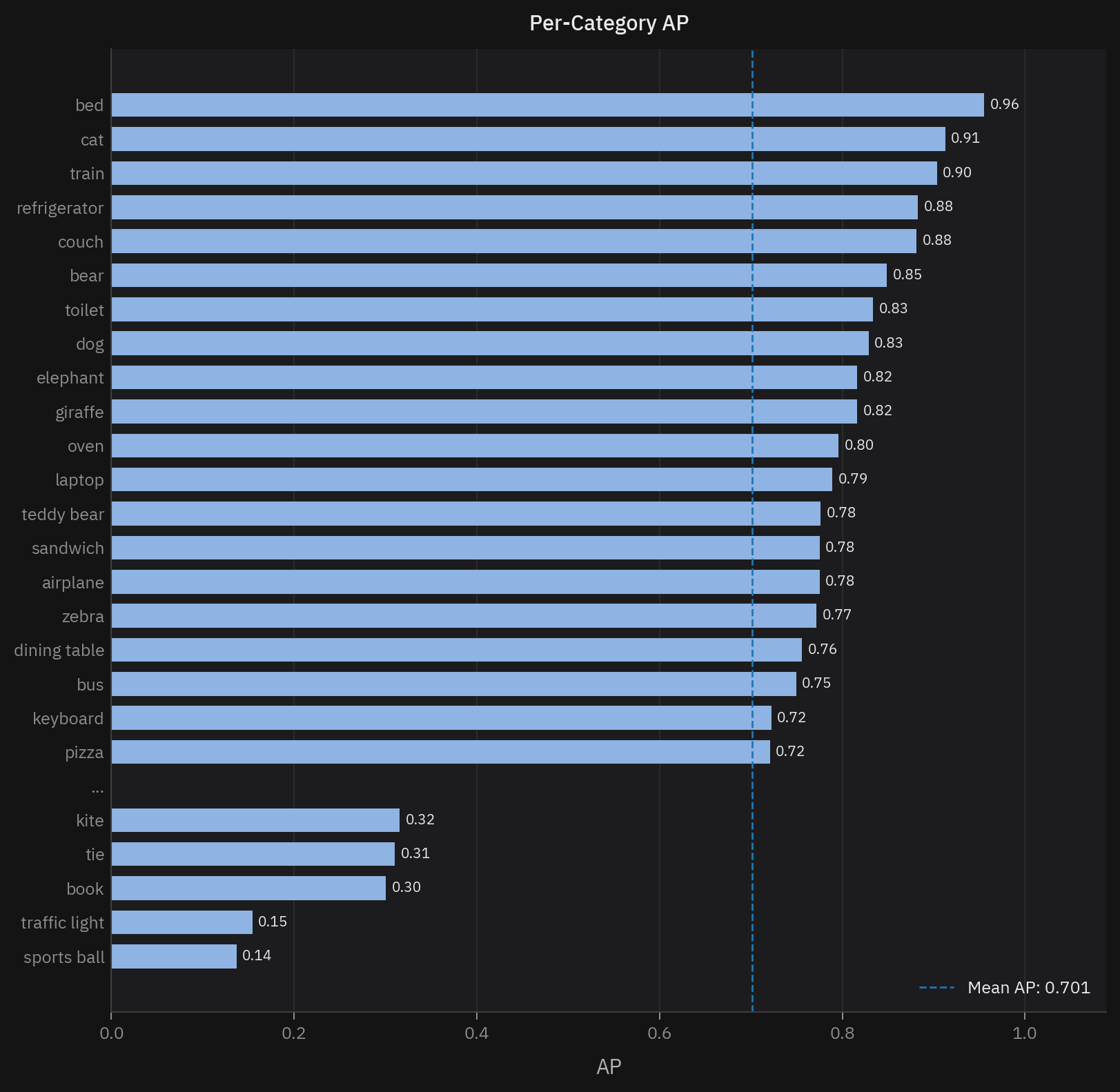
mAP tells you that your model misses; it doesn't tell you what to fix. hotcoco computes the breakdowns from the same evaluation pass: which error types cost the most AP (TIDE), which categories get confused with each other, whether the confidence scores are calibrated, and which images the model does worst on.
The dataset browser
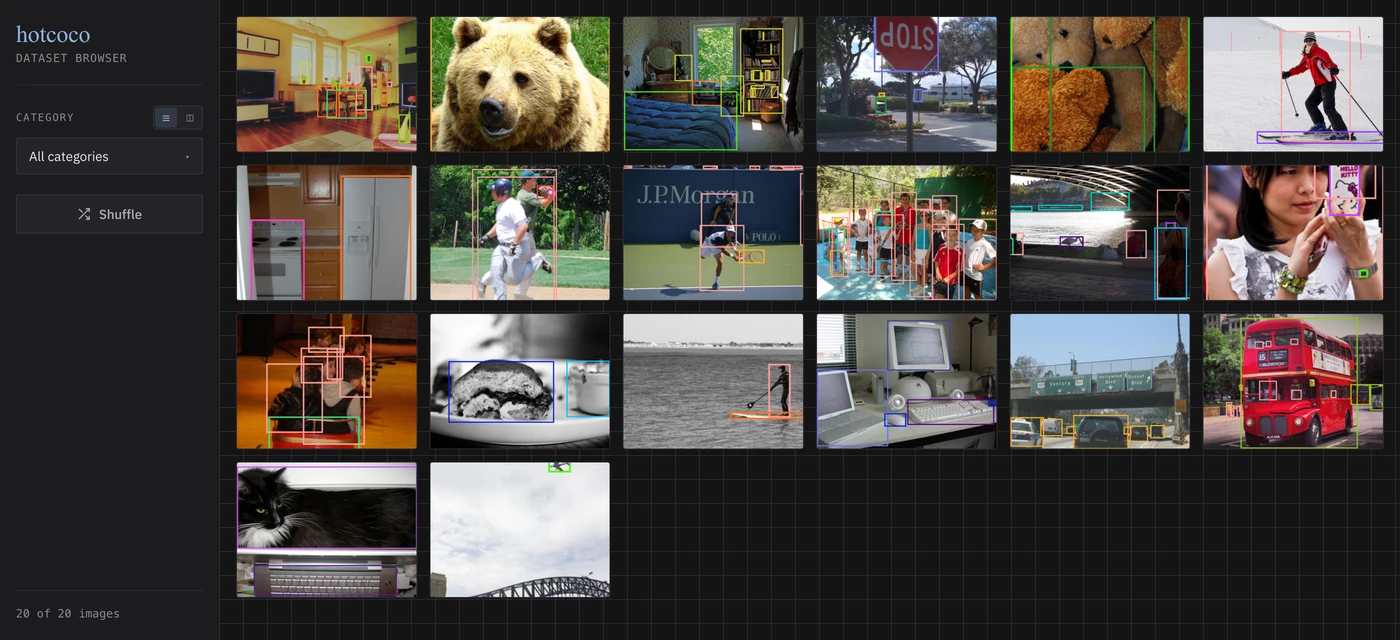
coco.browse() opens a local web UI that shows every image with its annotations
overlaid, one color per category. Filter by category, zoom in, and scan a split for
labeling problems without opening files one by one. Pass eval= and the same UI adds
an interactive dashboard — PR curves, confusion matrix, TIDE errors, and per-image
scores next to the images they come from.
Use the metrics directly
The metric functions don't require an evaluator — they're plain functions over arrays:
import numpy as np
from hotcoco import metrics

scores  = np.array([0.9, 0.8, 0.7, 0.6])
matched = np.array([True, False, True, True])

metrics.average_precision(scores, matched, num_gt=4)  # 0.6287
metrics.calibration_error(scores, matched)            # (ece, mce)
COCOeval calls these same functions internally, so numbers you compute by hand match
what summarize() prints.
Panoptic segmentation
The second metric family on the same engine. PQ, SQ, and RQ match panopticapi on COCO val2017, from the COCO panoptic JSON + PNG files or from annotations that carry masks, with no PNG files at all:
from hotcoco import panoptic

ev = panoptic.PanopticEval("panoptic_val2017.json", "predictions.json")
ev.run()
ev.report()["metrics"]["PQ"]
See the panoptic guide.
Semantic segmentation
The third family: mIoU, fwIoU, mAcc, aAcc, and mDice from class-id label
maps, matching mmsegmentation's IoUMetric, and boundary IoU beside them.
Fed one batch at a time from a validation loop, or from folders of PNG
files; the state is one confusion matrix plus the boundary counts, so shards
merge and the evaluator pickles:
from hotcoco import semantic

ev = semantic.SemanticEval(19)
for gt, pred in loader:
    ev.update(gt, pred)
ev.report()["metrics"]["mIoU"]
See the semantic guide. Tracking is next — see the roadmap.