Plotting
hotcoco includes publication-quality plotting for evaluation results. Install the optional dependency:
pip install hotcoco[plot]
The arguments every function shares and what they return are under common parameters in the API reference.
PDF evaluation report
report() runs a full evaluation and saves a self-contained, single-page PDF —
useful for archiving results or sharing with collaborators.
from hotcoco.plot import report

gt = hotcoco.COCO("instances_val2017.json")
dt = gt.load_res("bbox_results.json")
ev = hotcoco.COCOeval(gt, dt, "bbox")
ev.run()

report(ev, save_path="report.pdf", gt_path="instances_val2017.json", dt_path="bbox_results.json")
The sections of the report are listed under report.
Every report carries a provenance line stating whether its numbers are comparable
to a published leaderboard. A parity-verified run says so quietly; anything else is
marked as an extension and lists why — oriented boxes, Open Images, or just a
non-default iou_thrs. Since the PDF is the artifact that gets circulated to people
who did not run the evaluation, the marker is always present, so a report without a
caveat means the run was checked rather than that the caveat was omitted. See
Check provenance before you publish a number.
Works with all three evaluation modes — the metrics table picks the right rows for each automatically (which rows).
Or from the CLI:
coco eval --gt instances_val2017.json --dt bbox_results.json --report report.pdf
Quick start
import hotcoco
from hotcoco.plot import pr_curve, per_category_ap

gt = hotcoco.COCO("instances_val2017.json")
dt = gt.load_res("detections.json")
ev = hotcoco.COCOeval(gt, dt, "bbox")
ev.run()

fig, ax = pr_curve(ev, save_path="pr.png")
fig, ax = per_category_ap(ev.results(per_class=True), save_path="ap.png")
Available plots
Precision-recall curves
from hotcoco.plot import pr_curve

# IoU sweep (default) — one line per IoU threshold
fig, ax = pr_curve(ev)

# Single category
fig, ax = pr_curve(ev, cat_id=1)

# Top 10 categories at IoU=0.50
fig, ax = pr_curve(ev, iou_thr=0.50, top_n=10)
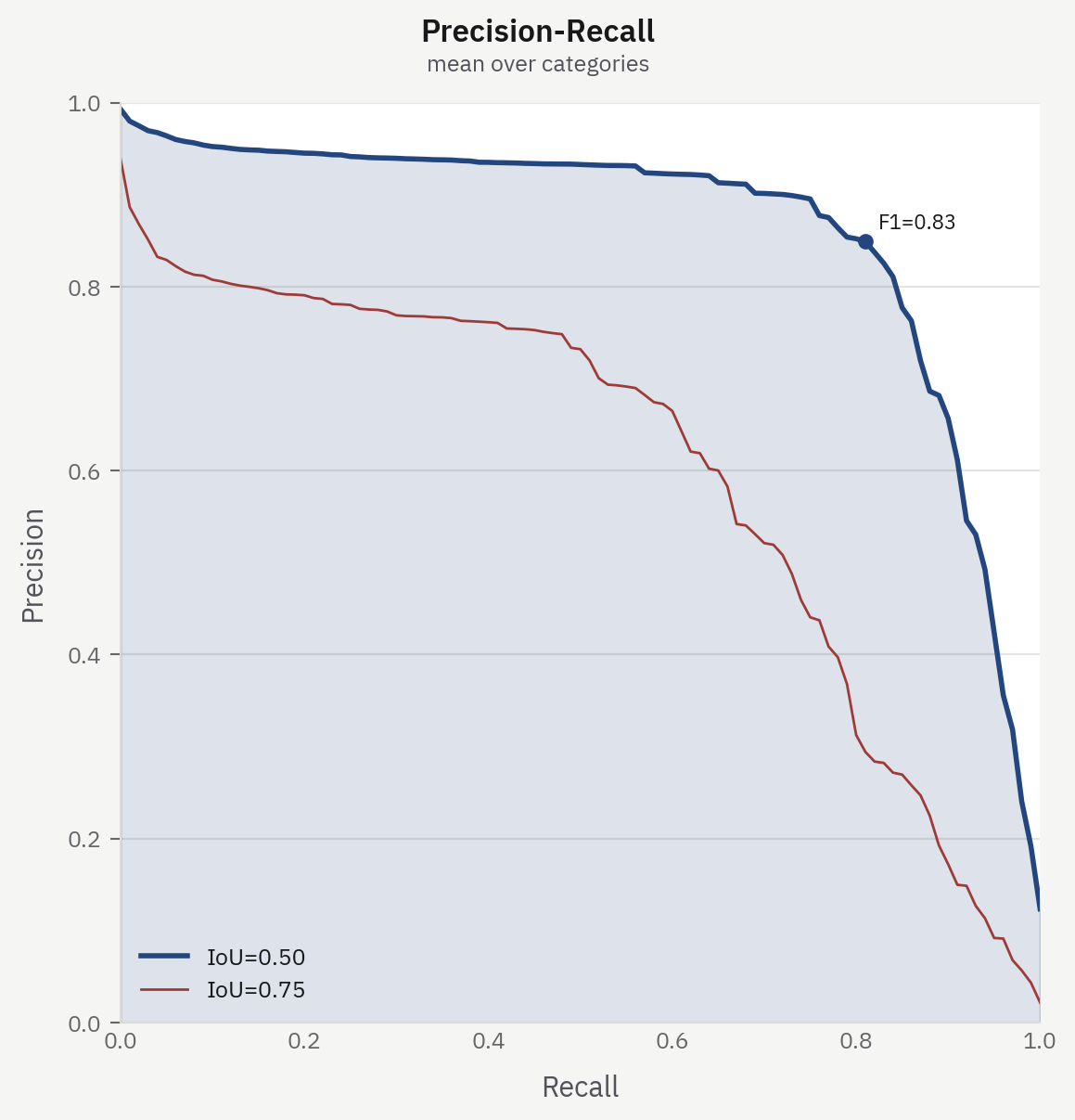
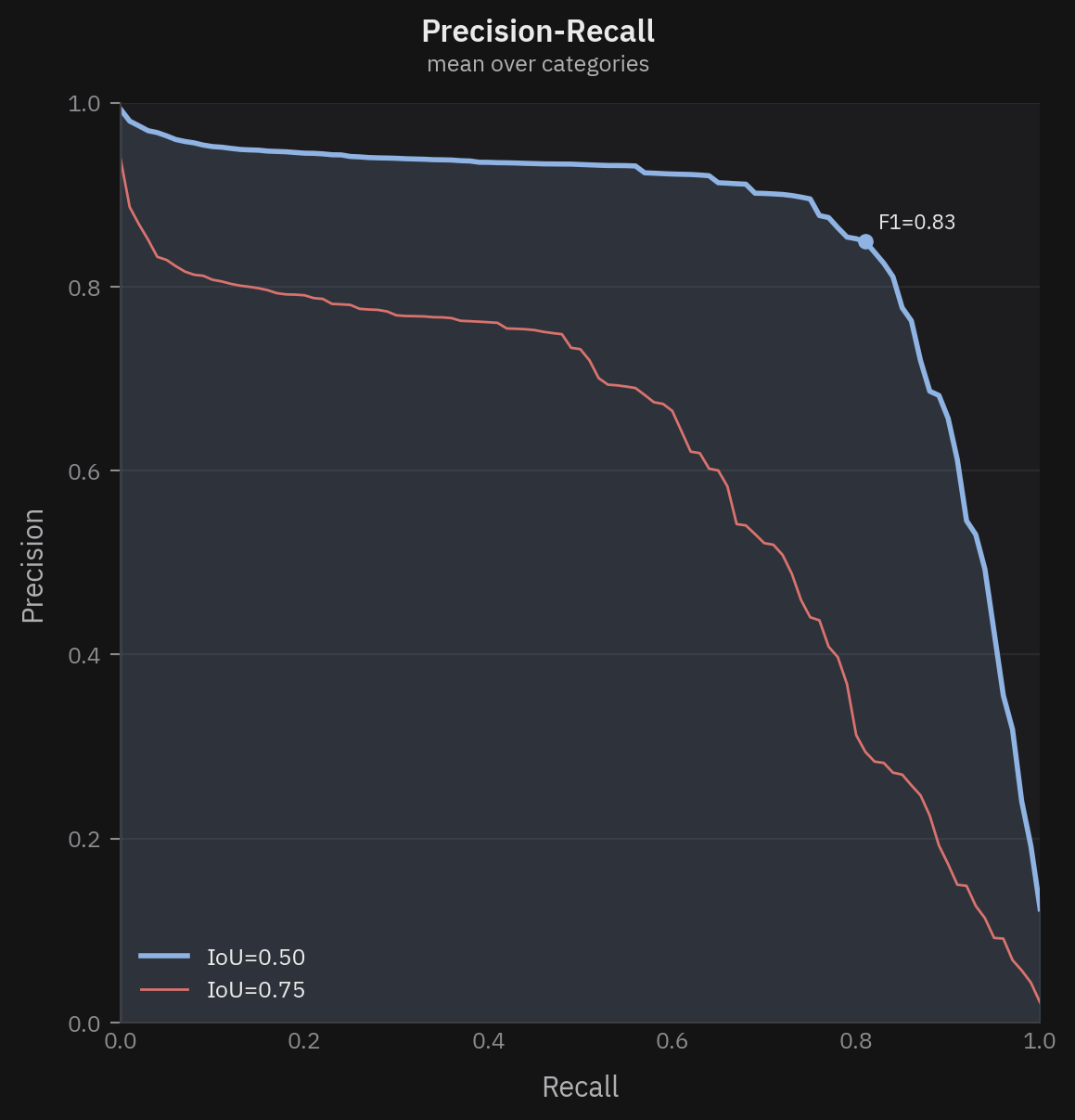
iou_thrs=[0.50, 0.75]). The primary curve is drawn heavier, filled, and
annotated at its peak F1. The default plots all ten thresholds.Per-category AP
from hotcoco.plot import per_category_ap

results = ev.results(per_class=True)
fig, ax = per_category_ap(results)
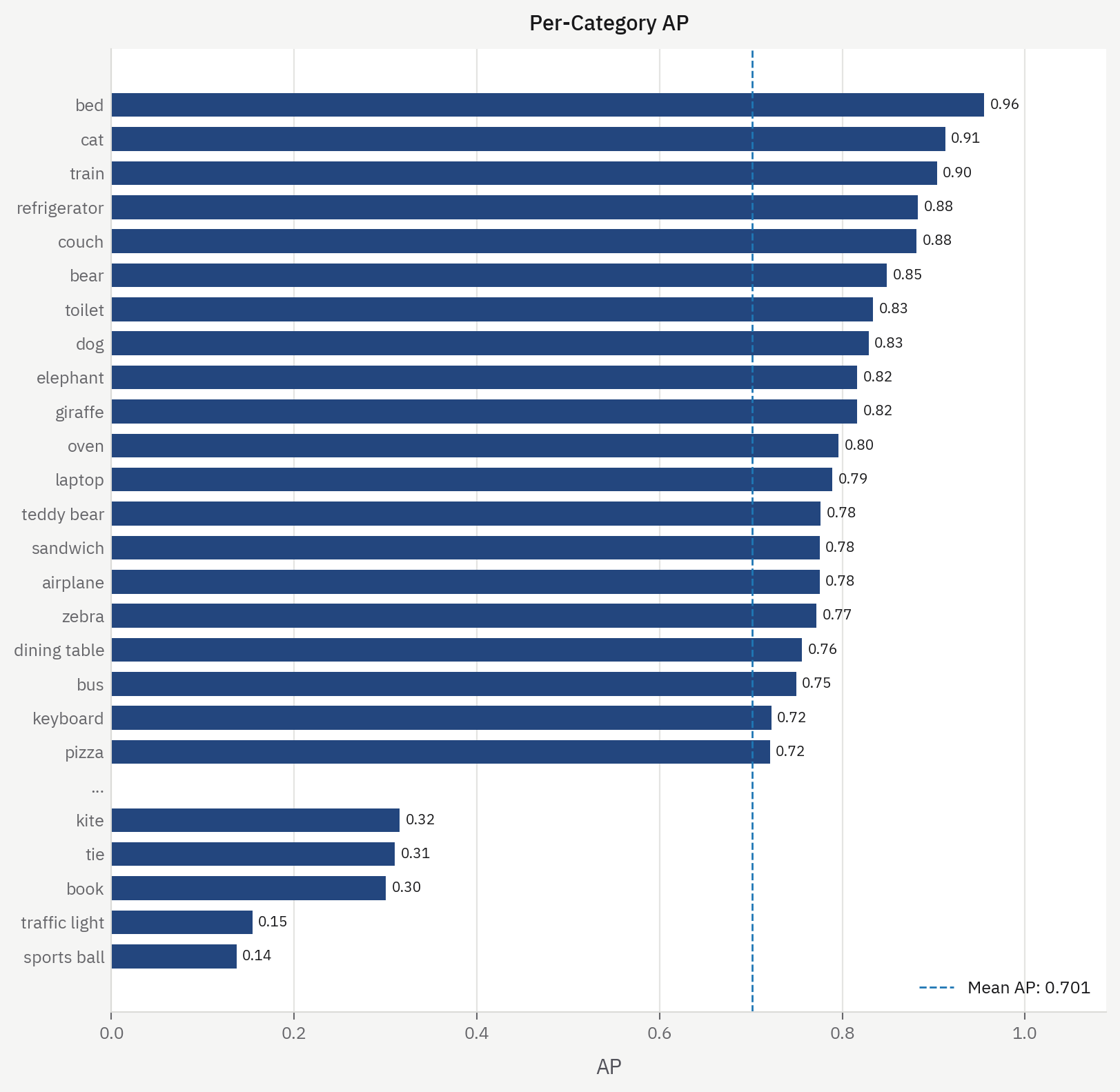
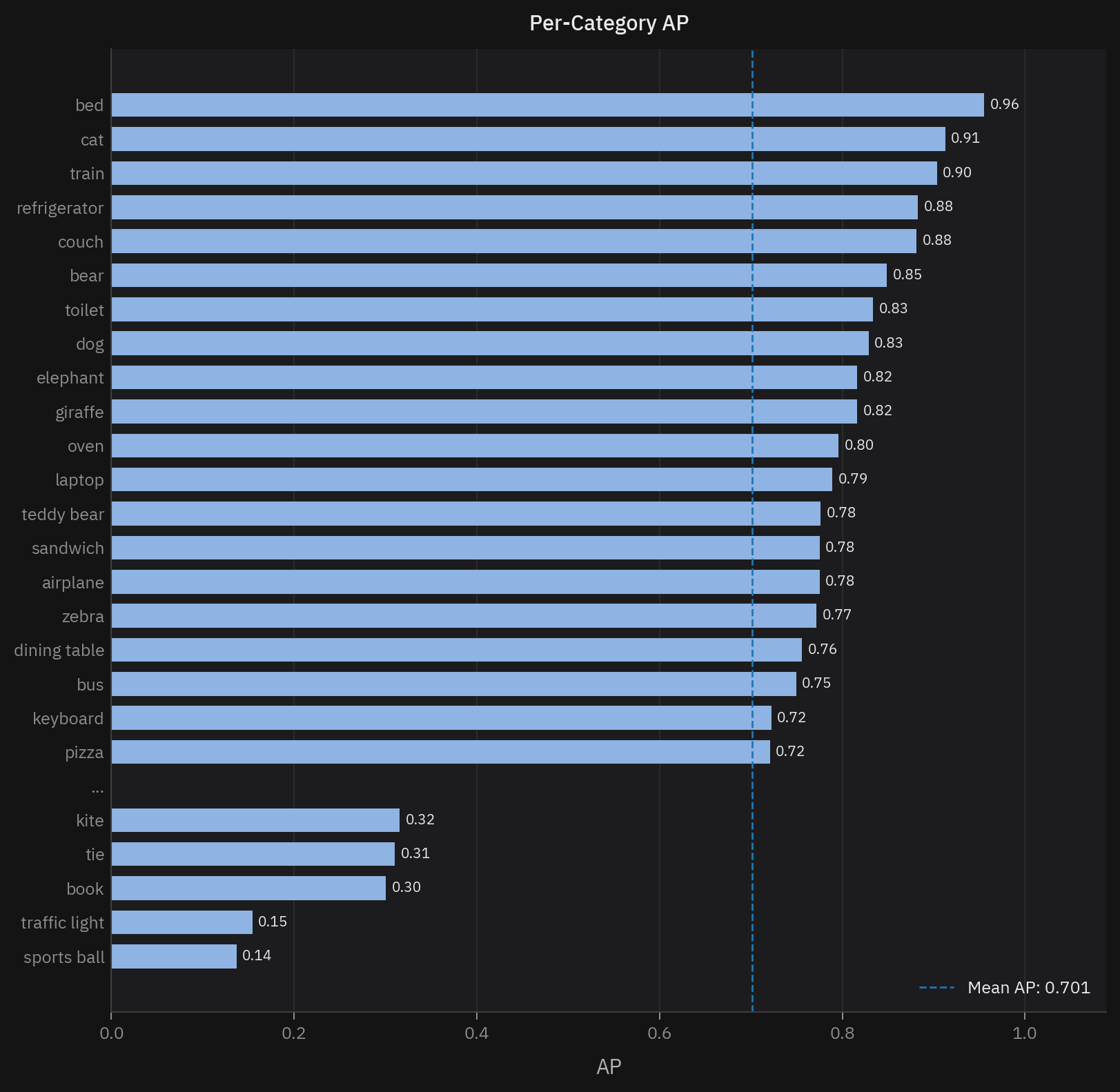
bed and sports ball is the
kind of thing a single AP number hides.Confusion matrix
from hotcoco.plot import confusion_matrix

fig, ax = confusion_matrix(ev.confusion_matrix())
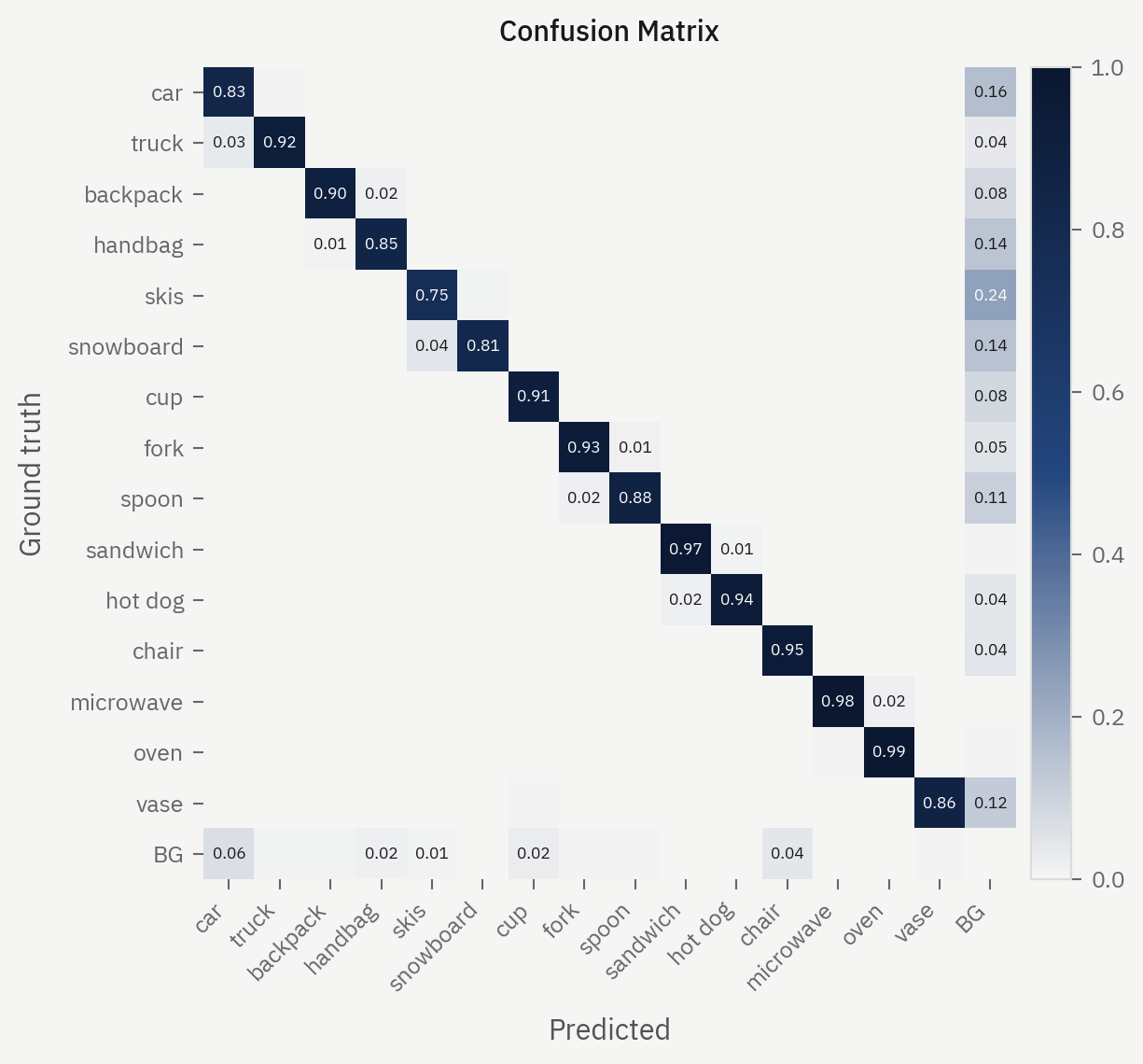
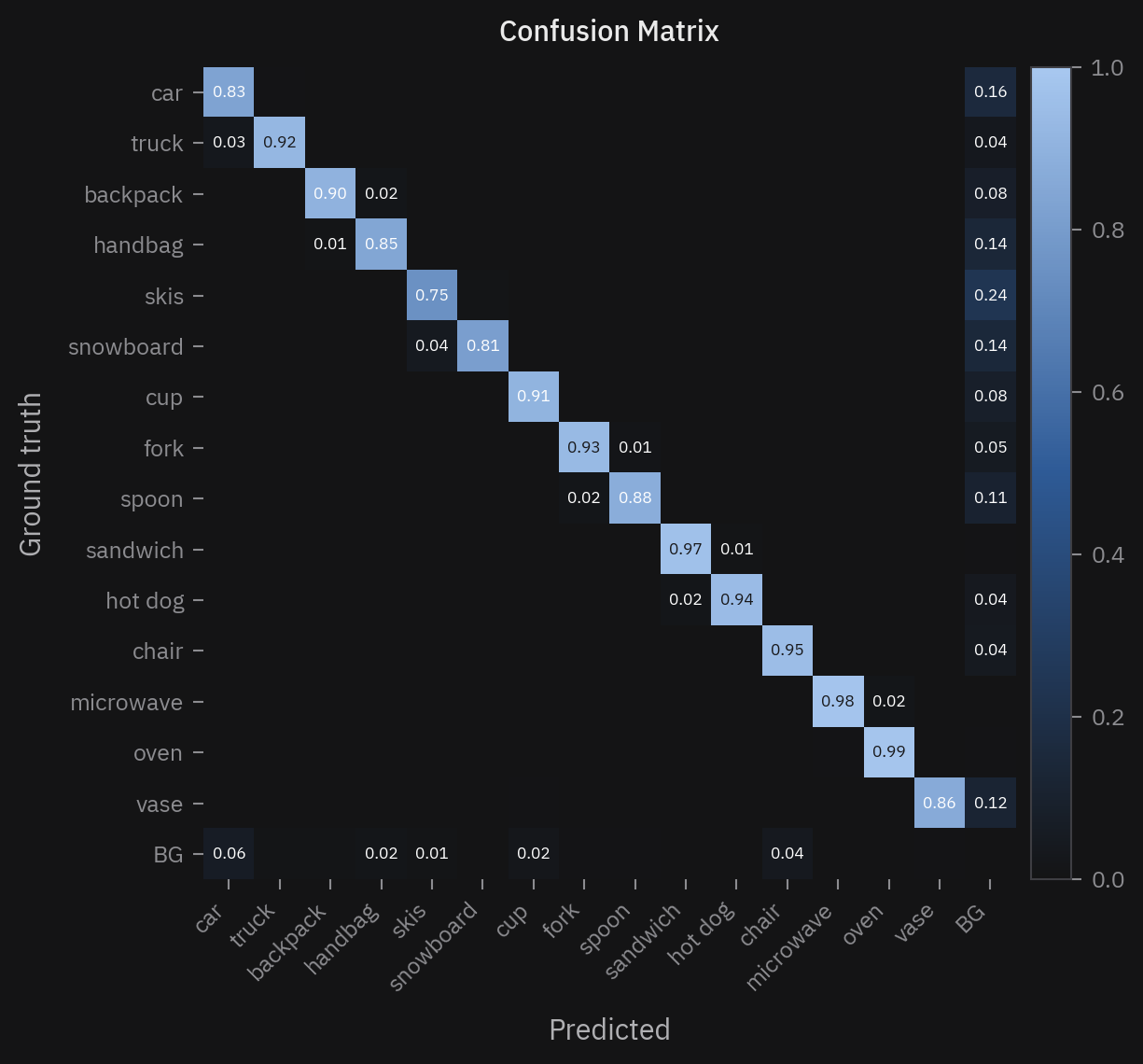
BG row and
column carry detections with no ground truth and ground truth with no detection.To aggregate by supercategory:
# Build supercategory groups from the dataset
cats = gt.load_cats(gt.get_cat_ids())
groups = {}
for c in cats:
    groups.setdefault(c["supercategory"], []).append(c["name"])

fig, ax = confusion_matrix(ev.confusion_matrix(), group_by="supercategory", cat_groups=groups)
Top confusions
from hotcoco.plot import top_confusions

fig, ax = top_confusions(ev.confusion_matrix())
A bar chart of the most common misclassifications — more readable than a full heatmap when you have many categories.
TIDE error breakdown
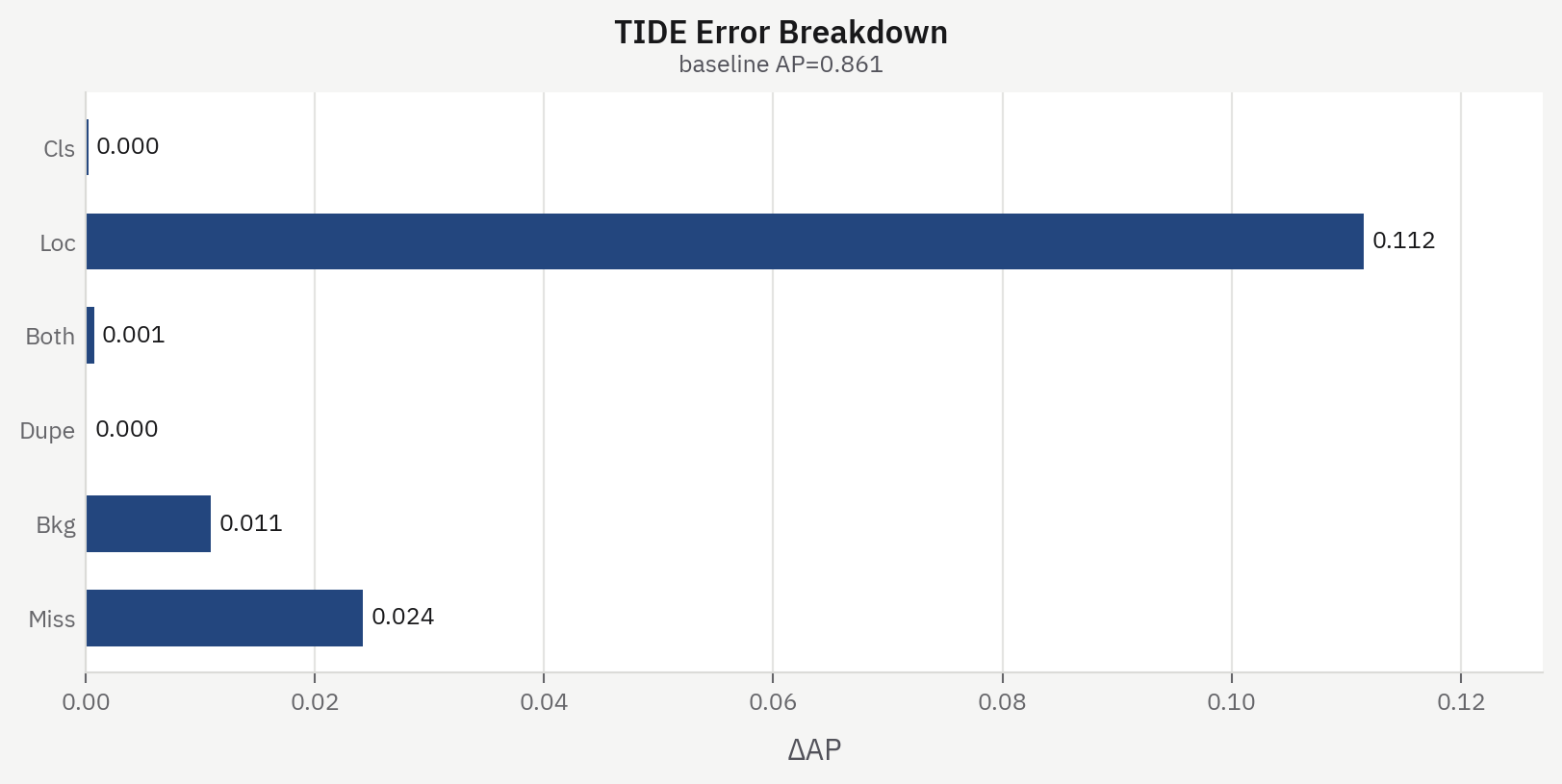
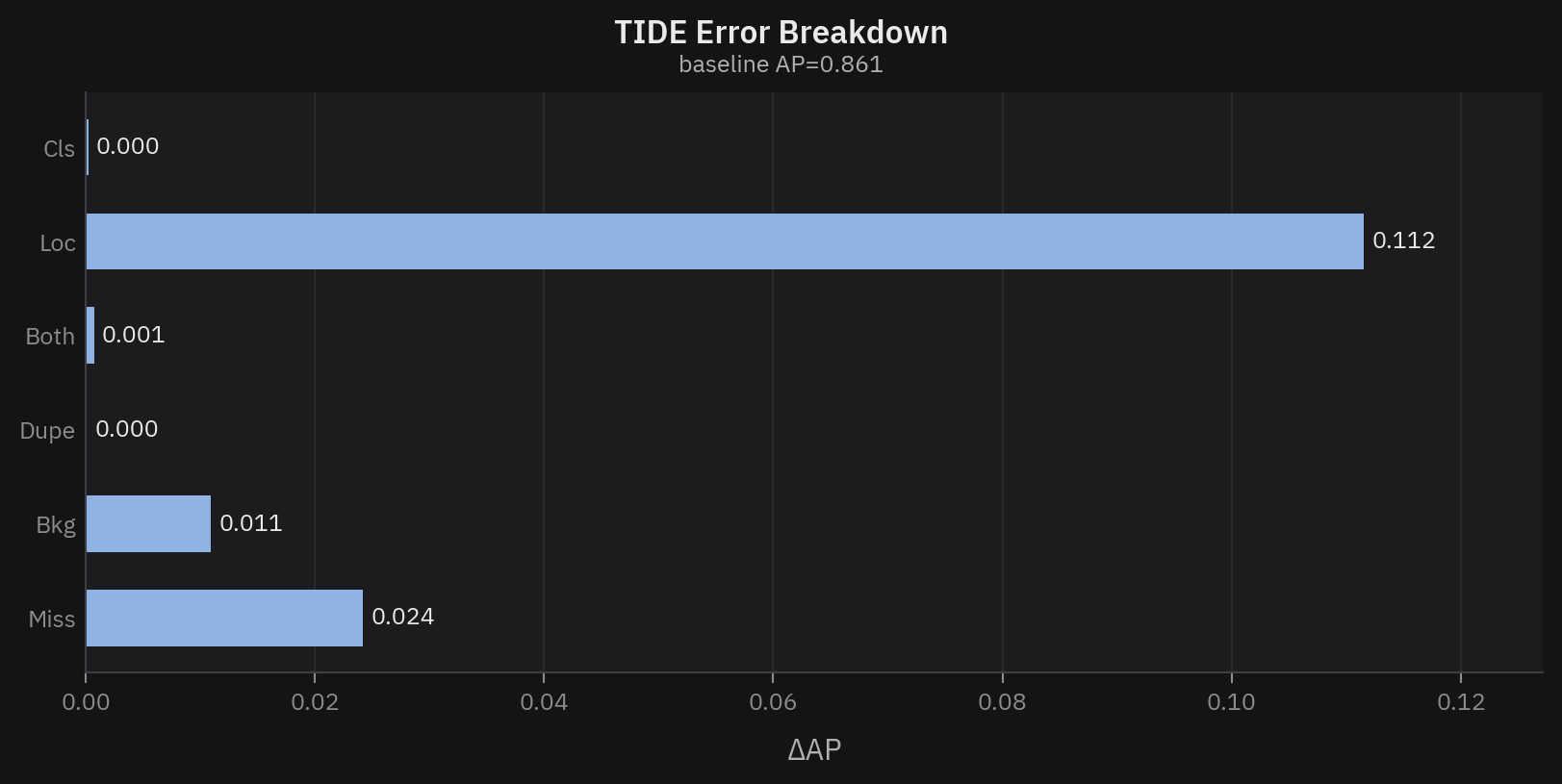
from hotcoco.plot import tide_errors

fig, ax = tide_errors(ev.tide_errors())
Shows the six TIDE error types (Cls, Loc, Both, Dupe, Bkg, Miss) as horizontal bars with their delta-AP values.
Model comparison
from hotcoco import compare
from hotcoco.plot import comparison_bar, category_deltas

result = compare(ev_a, ev_b, n_bootstrap=1000)
fig, ax = comparison_bar(result)           # grouped bar chart of all metrics
fig, ax = category_deltas(result, top_k=10) # per-category AP delta bars
comparison_bar shows Model A vs Model B side by side for each metric, with
bootstrap CI error bars when available. category_deltas shows per-category
AP deltas sorted by magnitude — green for improvements, red for regressions.
Themes
Every plot function takes theme and paper_mode — see
Themes in the API reference for what each does.
Every figure on this page is drawn twice — "cyanotype" and "cyanotype-dark" —
and the site swaps them with the palette toggle in the header. Flip it to see the
dark theme.
fig, ax = per_category_ap(results, theme="cyanotype-dark")   # dark slides, dark notebooks
fig, ax = pr_curve(ev, paper_mode=True, save_path="pr.pdf")  # white ground for a paper or slide deck
To apply a theme to your own matplotlib code, use the style() context manager:
from hotcoco.plot import style
import matplotlib.pyplot as plt

with style(theme="cyanotype", paper_mode=True):
    fig, ax = plt.subplots()
    ax.plot(recall, precision)
    fig.savefig("custom.pdf")
To use a different style, such as seaborn or your own rcParams, don't call
hotcoco plot functions inside a style() context — the default matplotlib style applies:
import seaborn as sns
import matplotlib.pyplot as plt

sns.set_theme()
fig, ax = plt.subplots()
# your own plotting code here
Composing plots
Pass an existing ax to draw on a subplot:
import matplotlib.pyplot as plt
from hotcoco.plot import pr_curve, per_category_ap

fig, (ax1, ax2) = plt.subplots(1, 2, figsize=(14, 6))
pr_curve(ev, ax=ax1)
per_category_ap(ev.results(per_class=True), ax=ax2)
fig.savefig("dashboard.png", dpi=150)